
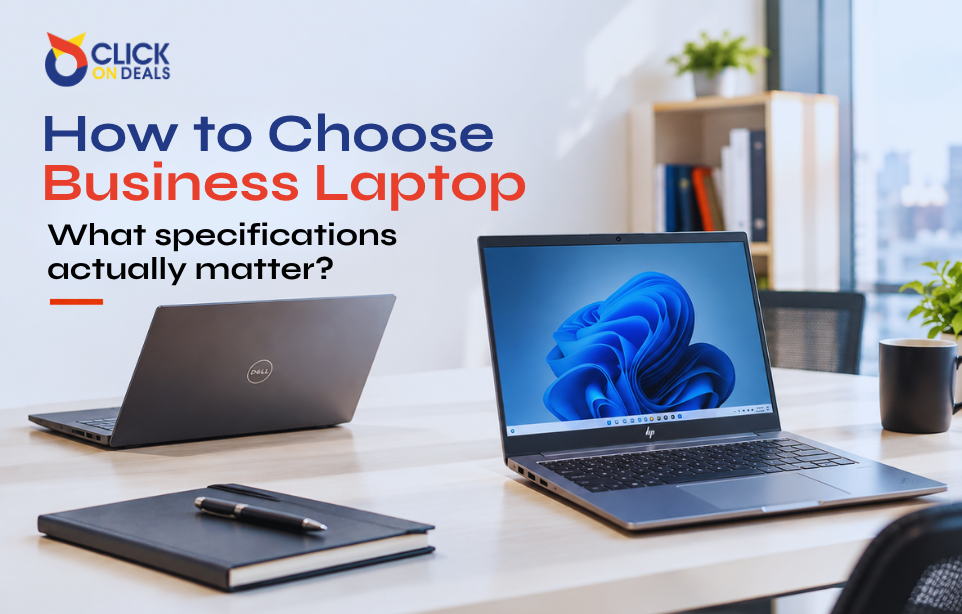
A business laptop needs to handle daily tasks reliably, provide enough performance for the user’s workload, and remain useful as work requirements change.
With so many models, processors, RAM options, storage types, and screen sizes available, choosing the right laptop can become confusing. A higher price does not always mean a better choice. The best laptop is the one that matches the work it needs to handle.
Whether you are buying one laptop for yourself or several for your employees, understanding the important specifications can help you make a better decision.
Start With the Workload
Before looking at laptop specifications, identify what the laptop will be used for.
Different jobs require different levels of performance.
A laptop used mainly for emails, documents, browsing, and video meetings does not need the same hardware as one used for graphic design, software development, engineering, or video editing.
Common business workloads include:
- Office applications
- Web browsing
- Email and communication
- Accounting software
- Remote work
- Programming
- Graphic design
- Business management systems
- Data analysis
- Engineering and CAD
Once the workload is clear, it becomes much easier to decide which specifications are actually necessary.
Processor: Don’t Focus Only on the Generation
The processor is one of the first specifications people check when buying a laptop.
However, simply looking at the processor generation is not enough.
You should consider the complete processor model, number of cores, performance level, and the type of work the laptop will handle.
For basic office work, a mid-range processor can often provide enough performance. More demanding workloads may require a higher-performance processor with additional cores and processing capacity.
When comparing laptops, check the exact processor model instead of relying only on labels such as “Core i5” or “Core i7.”
Two processors carrying the same general series name can provide different levels of performance.
How Much RAM Do You Need?
RAM affects how well a laptop handles multiple applications at the same time.
A user who works with several browser tabs, documents, spreadsheets, communication applications, and other software may benefit from having more memory.
For modern business use, 8GB may be suitable for basic workloads, while 16GB provides more comfortable multitasking for many professional users.
Users working with heavier applications may need even more RAM.
Before buying, also check whether the RAM can be upgraded. Some laptops allow upgrades, while others have memory that is permanently installed.
Upgradeability can make a difference if your requirements increase later.
SSD Storage Is Important
Storage affects both capacity and system responsiveness.
Modern business laptops commonly use SSD storage because SSDs can provide fast access to files and applications.
When comparing laptops, look at both the type and capacity of storage.
For example, a laptop with a fast SSD but limited capacity may not be ideal for someone who stores large files locally.
Common storage options include:
- SATA SSD
- NVMe SSD
- SATA HDD
- Hybrid storage configurations
For most professional users, an SSD can provide a much more responsive everyday experience than an older mechanical hard drive.
How Much Storage Do You Actually Need?
Storage requirements depend on the user’s work.
A person working mainly with documents and cloud applications may not need huge local storage.
A designer, developer, engineer, or content creator may need significantly more space for projects and media files.
Think about:
- Current file size
- Software requirements
- Photos and videos
- Business documents
- Local backups
- Future storage needs
If the laptop supports storage upgrades, you may be able to increase capacity later.
Business Laptop vs Consumer Laptop
Not every laptop is designed for the same environment.
Consumer laptops are often built around general home and entertainment use. Business-class laptops are designed with professional users and workplace requirements in mind.
Business laptop ranges can offer features such as stronger build quality, professional support options, security features, docking compatibility, and business-focused designs.
Examples of business-focused product families include Dell Latitude and Precision, HP EliteBook and ProBook, and Lenovo ThinkPad.
ClickOnDeals.pk’s planned certified refurbished category includes business laptops and workstations from brands such as Dell, HP, Lenovo, and Microsoft.
Consider the Display
The screen is something you will use every day, so it should not be ignored.
Consider:
- Screen size
- Resolution
- Panel quality
- Brightness
- Viewing angles
- Touch support
- Aspect ratio
A 13- or 14-inch laptop can be convenient for people who travel frequently.
A 15- or 16-inch laptop may be more comfortable for users who spend most of their time working at a desk.
The best size depends on whether portability or screen space is more important.
Check the Keyboard and Trackpad
Specifications do not tell you everything about a laptop.
For people who spend hours writing emails, reports, documents, or code, the keyboard can have a major impact on daily comfort.
Check the keyboard layout, key travel, spacing, and overall feel where possible.
The trackpad should also be responsive and accurate.
These details may seem small when comparing product specifications, but they matter during everyday work.
Ports Still Matter
Modern laptops are becoming thinner, but businesses still need physical connections.
Before buying, check which ports are available.
Depending on the model, you may need:
- USB-A
- USB-C
- HDMI
- DisplayPort
- Ethernet
- Audio jack
- SD card reader
Consider the equipment the user will connect to the laptop.
For example, someone working with external displays, projectors, storage drives, network equipment, or docking stations may need more connectivity than someone who works mainly through wireless devices.
Do You Need a Dedicated Graphics Card?
Most office workers do not need a dedicated graphics card.
Integrated graphics can be enough for documents, browsing, presentations, video meetings, and many everyday business applications.
However, dedicated graphics can become important for:
- 3D design
- CAD
- Engineering applications
- Video editing
- Professional graphics
- Certain scientific workloads
If the laptop is being purchased for a specialized professional role, graphics capability should be considered alongside the processor and RAM.
Battery Condition Matters for Refurbished Laptops
Battery health deserves special attention when buying a refurbished laptop.
A refurbished laptop may have been previously used, so battery condition can vary.
Ask whether battery health has been tested and whether the battery is included under the seller’s warranty terms.
The same applies to the charger and other included accessories.
A laptop can have excellent specifications but still be inconvenient if its battery has significantly reduced capacity.
What Does Refurbished Mean for Laptops?
Refurbished laptops can provide a way to access business-class hardware at a lower price than comparable new equipment.
However, “refurbished” should not simply mean “used.”
A professionally refurbished laptop should go through inspection and testing before being offered to customers.
The planned ClickOn Certified program includes checks such as BIOS, CPU, memory, storage health, USB and display functions, Wi-Fi and Bluetooth where applicable, battery and charger, cooling, firmware, stress testing, and final quality inspection.
This type of testing gives buyers a clearer understanding of the equipment they are purchasing.
Understand Laptop Condition Grades
Refurbished laptops can have different cosmetic conditions.
A clear grading system helps buyers understand what to expect.
For example, Grade A may indicate excellent cosmetic condition with fully tested functionality. Grade B may have minor signs of use, while Grade C may have more visible cosmetic wear.
The important thing is that the seller clearly explains its grading system.
According to the ClickOnDeals.pk project plan, Grade A is classified as excellent and 100% tested, Grade B has minor signs of use and is 100% tested, and Grade C can have visible signs of use while remaining fully tested.
Check the Warranty
Warranty support is especially important for business equipment.
If a laptop is used for work every day, a hardware problem can affect productivity.
Before purchasing, check:
- Warranty period
- What components are covered
- Battery coverage
- Return conditions
- DOA policy
- Support process
The ClickOnDeals.pk project includes warranty information as part of the product specification and plans standard warranty coverage depending on the product.
Think About Upgradeability
A laptop that can be upgraded may remain useful for longer.
Check whether the laptop allows upgrades to:
- RAM
- SSD
- Other supported components
Not every laptop offers the same upgrade options.
If you are buying laptops for employees, upgradeability can be especially useful because employee workloads may change over time.
Buying Laptops for a Business?
Buying one laptop is different from buying 20 or 50.
Businesses purchasing multiple devices should think about consistency.
Using similar laptop models can make it easier to:
- Manage devices
- Provide technical support
- Replace components
- Configure software
- Train employees
- Maintain spare units
Businesses can also consider bulk purchasing or corporate quotations when buying larger quantities.
ClickOnDeals.pk’s planned B2B system includes formal quotations for larger quantities and project requirements.
Don’t Forget Accessories
A business laptop may need more than the computer itself.
Depending on the employee, useful accessories can include:
- Laptop docks
- External keyboards
- Mice
- Laptop stands
- Chargers
- HDMI cables
- USB hubs
- External displays
- Headsets
- Webcams
These accessories can make a significant difference to the overall workstation.
ClickOnDeals.pk’s planned accessories category includes keyboards, mice, webcams, headsets, USB hubs, chargers, laptop stands, docks, and display cables.
New or Refurbished Laptop?
There is no single answer for every buyer.
A new laptop may be the better choice when you need the latest hardware, current-generation features, or a manufacturer’s standard warranty.
A certified refurbished laptop can be attractive when you want business-class hardware at a lower purchase cost.
For example, a company may choose refurbished business laptops for standard office employees while purchasing higher-end new workstations for specialized teams.
The important thing is to compare the complete specifications, condition, testing, warranty, and price.
A Simple Laptop Buying Checklist
Before purchasing a business laptop, check:
Processor: Is it powerful enough for the workload?
RAM: Is there enough memory for multitasking?
Storage: Is the SSD fast and large enough?
Display: Is the screen suitable for daily work?
Battery: Is the battery condition acceptable?
Ports: Can it connect to your existing equipment?
Keyboard: Is it comfortable for long work sessions?
Upgradeability: Can important components be upgraded?
Condition: Is the physical condition clearly described?
Warranty: What support is included?
Accessories: What comes with the laptop?
Answering these questions can help you avoid choosing a laptop based only on a processor name or attractive price.
Final Thoughts
The best business laptop is not necessarily the most expensive model. It is the laptop that matches the user’s workload, provides enough performance, and offers the features needed for everyday work.
Pay attention to the processor, RAM, SSD, display, battery, ports, build quality, upgradeability, and warranty. If you are considering refurbished equipment, also look closely at testing and condition grading.
For businesses purchasing multiple laptops, it can also make sense to think beyond individual devices and plan the complete workstation, including docks, displays, accessories, security, and support.
With the right approach, businesses can build a reliable laptop fleet without paying for specifications they do not actually need.




1 Comment
Laudantium error vel labore sint perferendis Aut laborum Quasi sed ut voluptate nobis non ullam. Rerum a adipisci rerum eius voluptas. Qui quos harum qui Architecto delectus itaque sequi et. Voluptates et pariatur perspiciatis perferendis. Itaque provident voluptates dolor est nam quasi. asperiores ducimus sunt. ut id debitis eos veniam placeat Pariatur eius quod cum natus amet. Ex et itaque et molestiae voluptas. est eum consequatur hic consequatur.