
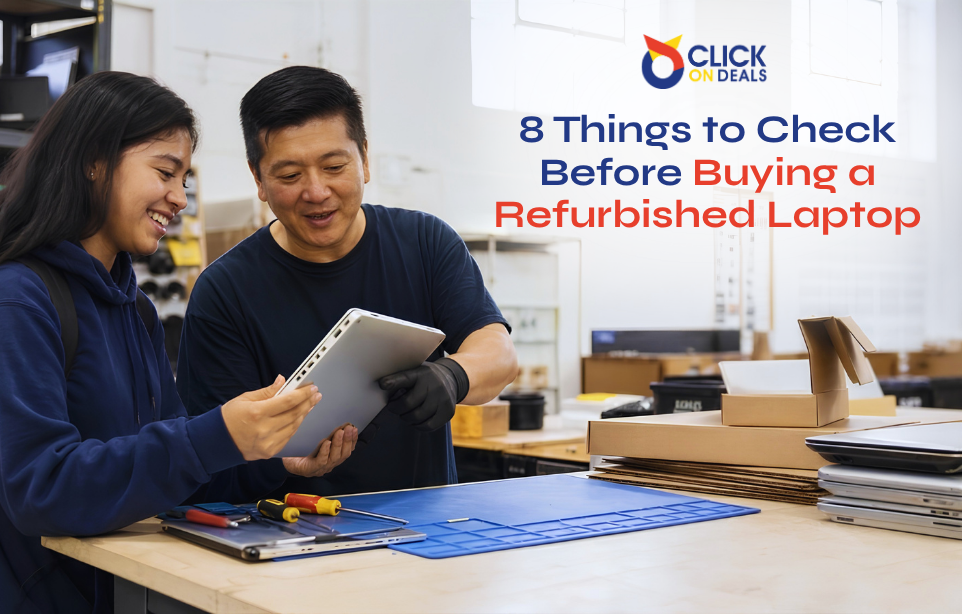
A refurbished laptop can be a great way to get reliable technology without paying the full price of a new device. Many refurbished laptops come from business environments where companies replace equipment as part of regular upgrades. These machines may still have plenty of useful life left.
However, buying refurbished is not simply about finding the lowest price.
Two laptops with similar prices can have very different conditions. One may have been properly tested, cleaned, inspected, and prepared for its next owner. Another may simply be an old used laptop with a fresh operating system.
That difference matters.
Before buying a refurbished laptop, you should look at the condition of the actual machine, the refurbishment process, battery health, software status, warranty, and the seller’s return policy.
Here are eight important things to check before making your purchase.
1. Find Out What “Refurbished” Actually Means
The word refurbished does not always mean the same thing from one seller to another.
A properly refurbished laptop should go through an inspection and testing process before it is offered for sale. Any faulty components should be identified, and the laptop should be cleaned and prepared for use.
Some sellers may use the word refurbished simply to describe a previously owned laptop.
That is why you should ask what was actually done to the machine.
Find out:
- Was the laptop fully tested?
- Was the battery checked?
- Was the storage checked?
- Were faulty parts replaced?
- Was the laptop cleaned?
- Was the operating system reinstalled?
- Was the device checked for hardware problems?
- Is the exact unit shown in the listing?
A clear answer to these questions can tell you a lot about the seller.
The goal is not simply to buy a laptop that works when you turn it on. You want a machine that has been properly checked before it reaches you.
2. Understand the Condition Grade
Refurbished laptops are often sold using condition grades.
These grades help buyers understand how much physical wear they should expect. However, grading systems can differ between sellers, so never assume that every “Grade A” or “Grade B” means exactly the same thing.
Ask the seller to explain the grade.
A higher grade may indicate a cleaner body with very few visible marks. A lower grade may have scratches, small dents, worn keys, or other cosmetic signs of previous use.
Cosmetic wear is not necessarily a problem.
A laptop can have a few marks and still work perfectly. The important thing is that the seller tells you about the condition honestly.
If possible, ask for photographs of the actual laptop, rather than only using stock product images.
Real photographs can help you see:
- Body condition
- Screen condition
- Keyboard wear
- Corner marks
- Hinge condition
- Bottom panel
- Any visible scratches or dents
Transparent grading is especially important when buying refurbished technology online.
3. Inspect the Body, Hinges, and Chassis
A laptop’s exterior can provide clues about how it was used.
Look closely at the corners and edges. Large dents may indicate that the laptop has been dropped. Cracks around the hinge area can also become bigger over time.
Pay particular attention to the hinges.
Open and close the screen slowly. The movement should feel firm and controlled. The screen should not wobble excessively or make unusual cracking sounds.
Also check whether the body closes properly.
Watch for:
- Cracked plastic
- Bent corners
- Loose hinges
- Gaps around the body
- Missing screws
- Damaged charging areas
- Swollen or raised sections
A swollen battery deserves immediate attention. If the trackpad or bottom cover looks raised, do not treat it as a normal cosmetic issue.
The physical inspection does not need to take long. A few careful minutes can reveal problems that are easy to miss in product photos.
4. Check Battery Health Instead of Just Battery Life
Battery condition is one of the most important checks for a refurbished laptop.
A laptop can look almost new while its battery has lost a large part of its original capacity.
Battery performance also changes naturally with age and usage. Therefore, sellers should be clear about the battery’s current condition.
Instead of asking only, “How many hours does the battery last?” ask whether the battery has been tested and whether its health or capacity can be provided.
On Windows laptops, a battery report can show information such as design capacity and current full-charge capacity. This gives you a better idea of battery wear than a quick percentage shown on the taskbar.
You should also ask:
- Has the battery been replaced?
- What is its current health?
- Does the battery charge normally?
- Does the laptop shut down unexpectedly?
- Is the battery covered by the warranty?
Battery life will vary depending on brightness, applications, Wi-Fi use, and workload. Therefore, there is no single battery-runtime number that applies to every user.
What matters most is knowing the battery’s actual condition before you buy.
5. Check for Hidden Hardware Problems
A laptop may appear fine during a quick inspection but develop problems when it is used for longer periods.
This is why proper testing matters.
The laptop should be checked for issues such as:
- Unexpected shutdowns
- Freezing
- Overheating
- Excessive fan noise
- Charging problems
- Storage errors
- Display problems
- Keyboard faults
- Touchpad problems
If you are inspecting a laptop in person, spend some time using it rather than turning it on and immediately buying it.
Open several applications. Browse the web. Play a video. Try the keyboard. Connect a device. Check the charger.
If the seller has a proper diagnostic process, ask whether the laptop has already passed hardware testing.
A professional refurbisher should be able to explain what was checked instead of simply saying that the laptop “works.”
Per-device testing is one of the strongest signs that you are buying a properly inspected machine rather than an ordinary used laptop.
6. Check the Software and Device Status
Hardware is not the only thing you need to check.
A refurbished laptop should also be ready for its new owner from a software perspective.
Make sure the previous owner’s information has been removed and that the device is not locked to another account.
For Windows laptops, check that the operating system is properly activated.
For business machines that previously belonged to companies, ask whether the device has been removed from any previous organization or management system.
This is important because some business laptops can have BIOS passwords or company device-management restrictions.
For Apple laptops, Activation Lock is another important consideration. A device connected to a previous owner’s account can create serious problems for the new owner.
A clean setup should allow you to use the laptop as your own without depending on the previous owner.
7. Review the Warranty and Return Policy
One of the biggest advantages of buying refurbished from a professional seller is having support after the purchase.
Even a laptop that passes every test can develop a problem later. That is why warranty and return terms should be checked before payment.
Do not rely only on a verbal promise.
Ask for clear information about:
- Warranty duration
- Covered hardware
- Excluded problems
- Return period
- Exchange policy
- Repair process
- Who pays return shipping, if applicable
- What happens if the same fault appears again
Also check whether the warranty applies to the exact laptop you are buying.
A trustworthy seller should be comfortable explaining these terms.
ClickOnDeals.pk’s project plan places warranty, returns, payments, delivery, technical support, and transparent product information among the important parts of the customer experience.
This kind of support can make a major difference when purchasing refurbished technology.
8. Compare the Real Value, Not Just the Price
A low price can look attractive, but it does not always mean you are getting the best deal.
Imagine two refurbished laptops have similar prices.
Laptop A comes with:
- Proper testing
- Clear condition grading
- Known battery condition
- Real product photographs
- Warranty
- Return support
Laptop B has:
- Unclear condition
- No battery information
- Stock photos
- No proper testing details
- No clear return policy
Even if Laptop B is slightly cheaper, Laptop A may provide much better value.
This is why you should compare the complete package instead of looking only at the number on the price tag.
Think about the possible cost of replacing a weak battery, repairing a damaged hinge, replacing faulty storage, or dealing with a laptop that fails shortly after purchase.
A slightly higher upfront price can sometimes reduce your overall risk.
Warning Signs You Should Not Ignore
Some signs should make you slow down before buying.
Be careful if a seller:
- Refuses to provide actual product photos
- Cannot explain the refurbishment process
- Gives vague information about condition
- Refuses to discuss battery health
- Does not provide clear warranty terms
- Will not allow reasonable testing
- Gives incomplete product specifications
- Has an unusually low price with no explanation
- Cannot explain whether the device has previous company locks
- Avoids questions about returns
One warning sign does not automatically mean the laptop is bad. However, several warning signs together should make you reconsider the purchase.
A reliable seller should have nothing to hide.
Buying Online? Ask for the Actual Unit
Buying online requires a little extra care because you cannot physically inspect the laptop before placing the order.
Start by asking for photographs of the actual device.
You can also ask the seller to confirm:
- Exact model
- Condition grade
- Battery condition
- Visible cosmetic marks
- Included charger
- Warranty
- Return or checking period
If the seller provides a video of the actual unit starting up and operating, that can also give you more confidence.
Do not assume that the photograph on a product page shows the exact laptop you will receive.
Real product photography is especially useful for refurbished products because two laptops of the same model can have different cosmetic conditions.
The ClickOnDeals.pk project plan also recommends real product photography as part of its trust strategy for refurbished technology.
Refurbished vs Simply Used
There is an important difference between a laptop that is simply used and one that has been properly refurbished.
A used laptop may be sold in the same condition in which the previous owner stopped using it.
A refurbished laptop should involve more preparation and inspection.
The difference can include:
Used laptop:
Previously owned and may have limited testing.
Refurbished laptop:
Previously owned but inspected, tested, cleaned, and prepared for resale.
However, always ask the seller what their own refurbishment process includes. The label itself is not enough.
This is one of the most important lessons for refurbished buyers: trust the process, not just the word “refurbished.”
Why Certified Refurbished Technology Can Be a Better Choice
For buyers who do not want to inspect every component themselves, certified refurbished products can offer an easier buying experience.
A structured refurbishment process can include testing, grading, serial tracking, warranty, and technical support.
This is particularly useful for businesses buying multiple laptops or other IT equipment.
ClickOnDeals.pk positions its certified refurbished category around products such as laptops, workstations, servers, networking equipment, and storage hardware.
For business customers, clear records and consistent product information can also make purchasing easier when several devices are required.
A Simple Refurbished Laptop Checklist
Before buying, use this quick checklist:
Seller
- Is the seller transparent?
- Can they explain the refurbishment process?
- Do they provide support after purchase?
Condition
- Is the grade clearly explained?
- Are actual product photos available?
- Are scratches or dents disclosed?
Physical inspection
- Are the hinges firm?
- Is the chassis free from major damage?
- Is the battery area flat?
Battery
- Has battery health been checked?
- Is the battery charging normally?
- Is battery coverage explained?
Software
- Is the previous owner’s information removed?
- Is Windows properly activated?
- Is the laptop free from previous company or account locks?
Testing
- Has the laptop passed hardware testing?
- Have storage and battery been checked?
- Have charging and other functions been tested?
Protection
- Is there a written warranty?
- Is there a return or checking period?
- Are the terms easy to understand?
Value
- Does the price match the condition?
- Are you getting support with the purchase?
- Have you compared the complete deal with other refurbished options?
Final Thoughts
Buying a refurbished laptop does not have to be risky.
The key is to look beyond the product title and price. A reliable refurbished laptop should come with clear information about its condition, testing, battery, software status, warranty, and support.
You do not need to be a computer technician to make a smarter purchase. Start by asking the right questions and checking the things that are easiest to overlook.
Most importantly, do not rush because a laptop appears cheap.
Check the condition. Check the testing. Check the battery. Check the warranty. Then compare the value.
When these details are clear, a refurbished laptop can be a practical and cost-effective technology choice for students, professionals, home users, freelancers, and businesses.




1 Comment
Iste asperiores voluptatem possimus voluptas. unde sed eum esse suscipit. Sit voluptatem mollitia et Inventore repudiandae nisi eligendi. nulla quisquam voluptatem. Eaque tenetur alias Temporibus rerum fugit voluptate. Cupiditate a est natus earum illo